
Fenix+ 3 Update v3.6.0
Passage Direction
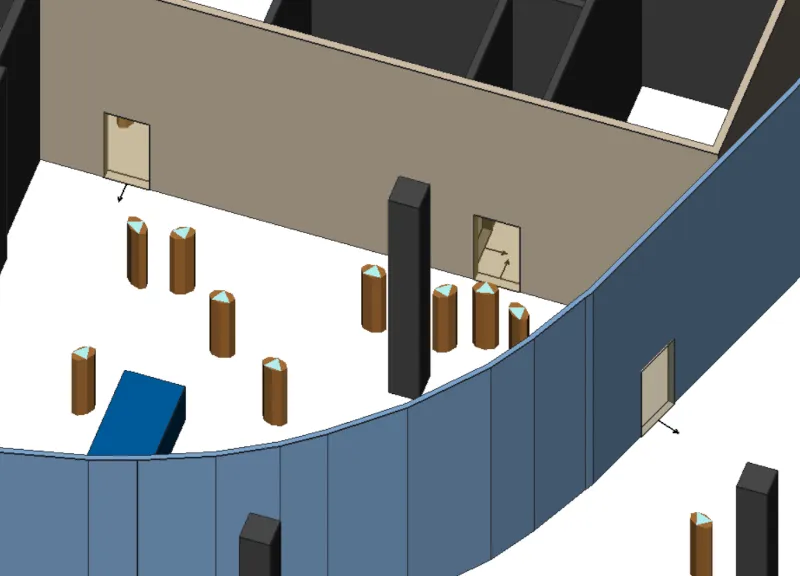
A new property, Passage Direction, is now available for doors and doorways. The passage direction is considered from the very start of modeling when the program is determining evacuation routes. Thanks to this property, it is possible to model the space in which people move in only one desired direction. You can set the available directions either during the door element placement by pressing the F key, or, by selecting one of three states in tool options afterwards: Both directions, From left to right, From right to left. It's visualised in the scenario editor as a black arrow, only if one of the directions is configured.
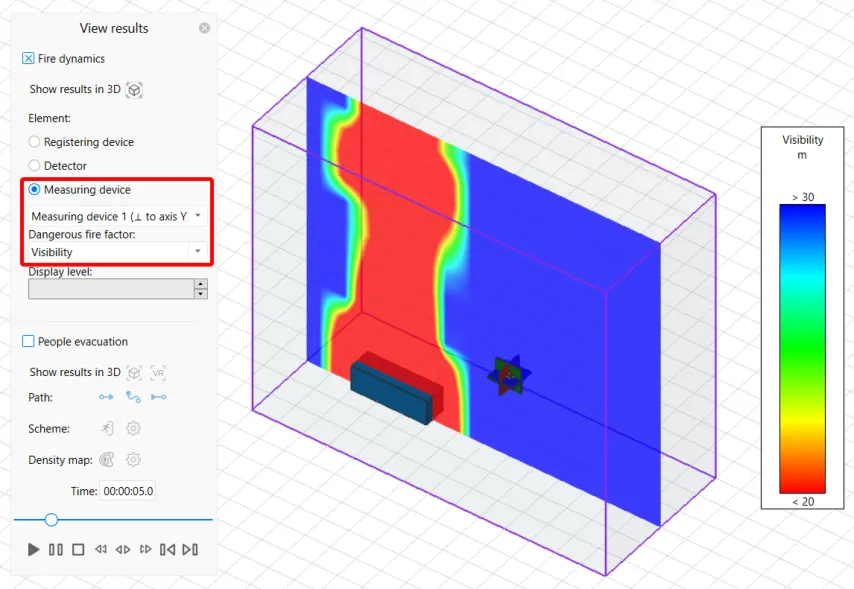
Viewing vertical DDF fields
The Visualization Tab now allows you to select installed Measuring devices and their tracked Dangerous Fire Factor fields in the form of vertical cross-sections.
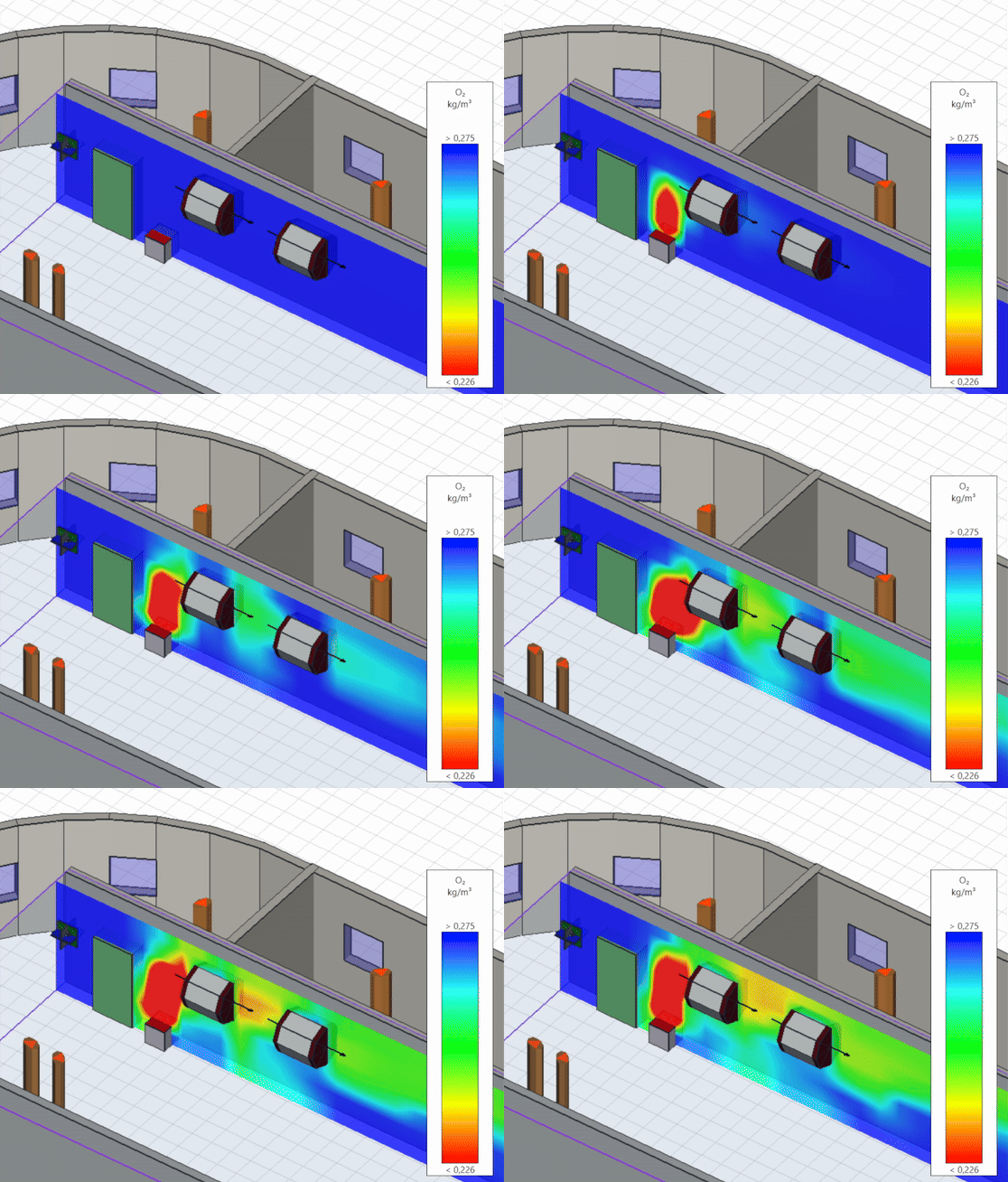
New element - Fan
The new type of Ventilation will allow you to direct air flow when preparing your fire dynamics model. The air passing through the fan gains additional speed and retains a number of its properties, such as temperature, smoke concentration, and it’s chemical content. In the Scene editor, the Fan is displayed as a horizontally turned cylinder, and the air flow direction is shown by a black arrow passing through it. Functionally, the new element will be specified in FDS by a group of HVAC parameters. In the tool options you can set parameters such as activation delay, flow direction, air flow rate, and the fan’s geometric properties. To install a Fan in your scenario, find and select Ventilation in the drawing tools, then click on the new Fan icon in the tool options panel.
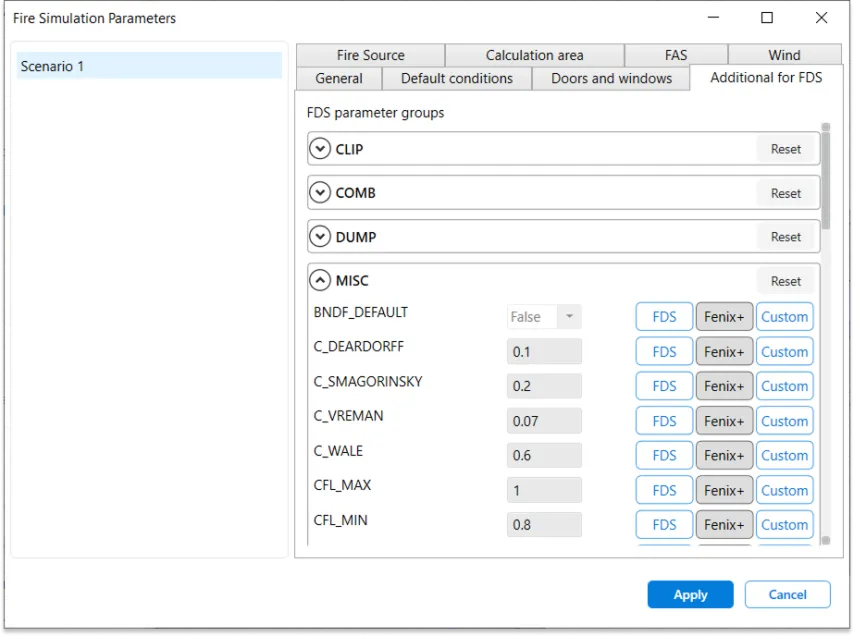
Setting the advanced FDS parameters using the Fenix+ interface
A new tab, Additional for FDS, has been added as part of the fire simulation settings. Now you can set values for a wide range of FDS parameters without opening configuration files. For further convenience, we show default values recommended by the FDS documentation or the ones prepared by calculation in Fenix+, which take into account the project scenario details and other user settings.
Fire spread from object to object
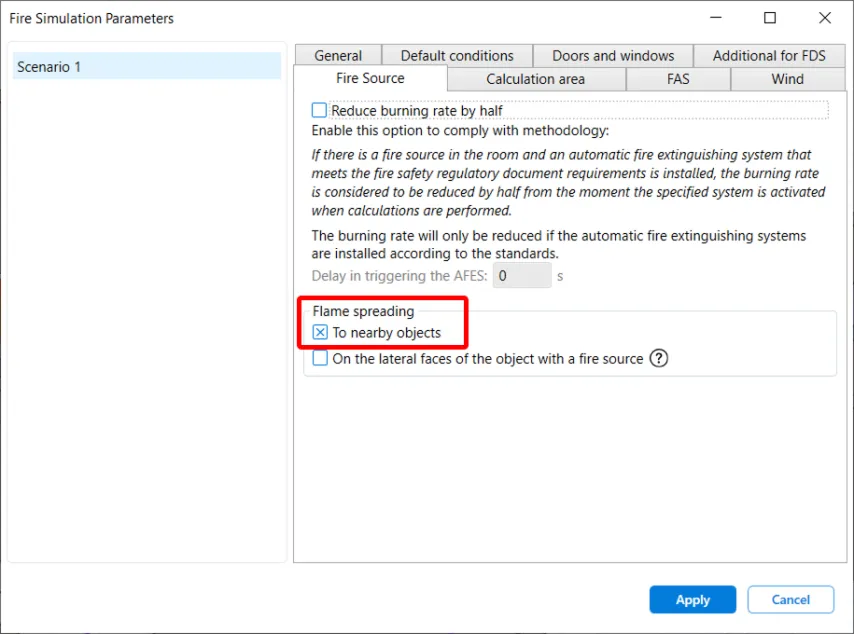
The option Fire spread from object to object is now available in the fire simulation settings, on the Fire Source tab:
When enabled, the fire modeling process will include adjacent objects catching fire. The calculated values for the MATL and SURF parameter groups will be transferred to FDS. The function will work while the default condition Actual Material is enabled, for all combustible materials, which now have a new property Ignition Temperature.
Other innovations
In addition to the Fan element, the existing ventilation types can now also display their direction, showing whether the ventilation set as Supply (black arrow pointing away from the element) or Exhaust (black arrow pointing towards the ventilation).
Improved evacuation simulation quality when working with imported ifc files: people will take evacuation paths between obstacles imported from ifc and traverse more stair types.
Added Mongolian language as one of the Fenix+ interface options.